三層式架構 Kubernetes 部署實戰:前端、後端、資料庫完整配置
當你的應用程式從單體架構演進到多層架構時,Kubernetes 是最佳的部署平台。三層式架構(Three-Tier Architecture)將應用程式分為展示層、邏輯層、資料層,每層可以獨立擴展、獨立部署,是企業級應用的標準架構模式。
這篇教學將帶你實際在 Kubernetes 叢集中部署一個完整的三層式架構應用,包含 React 前端、Node.js 後端 API、PostgreSQL 資料庫,以及 Ingress 統一入口管理。
如果你還不熟悉 Kubernetes 基礎操作,建議先閱讀 Kubernetes Deploy 完整教學。
三層式架構介紹
插圖:三層式架構總覽圖
場景描述:
Technical illustration showing 三層式架構總覽圖. Clean, professional diagram style.
視覺重點:
- Clear presentation of the concept
- Professional technical diagram style
- Easy to understand visual elements
必須出現的元素:
- Relevant technical components
- Clear labels and annotations
- Logical flow or structure
需要顯示的中文字:
無
風格:
Clean flat design, technical illustration, modern infographic style
顏色調性:
Professional blues and grays, with accent colors for emphasis
避免元素:
Cluttered design, realistic photos, complex 3D rendering
三層式架構是軟體設計的經典模式,將應用程式分為三個邏輯層,每層各司其職。
什麼是三層式架構
三層式架構(Three-Tier Architecture)將應用程式分為:
| 層級 | 英文名稱 | 職責 |
|---|---|---|
| 展示層 | Presentation Layer | 使用者介面,處理畫面呈現與互動 |
| 邏輯層 | Business Layer | 商業邏輯,處理資料運算與規則 |
| 資料層 | Data Layer | 資料儲存,管理持久化資料 |
這三層之間的溝通是單向的:展示層 → 邏輯層 → 資料層。使用者不會直接存取資料庫,所有請求都必須經過邏輯層處理。
Presentation / Business / Data Layer
Presentation Layer(展示層)
- 技術選型:React、Vue、Angular、或傳統 SSR(Nginx + HTML)
- 職責:
- 渲染使用者介面
- 處理使用者輸入
- 呼叫後端 API
- K8s 部署:Deployment + LoadBalancer Service
Business Layer(邏輯層)
- 技術選型:Node.js、Python、Java、Go
- 職責:
- 實作商業邏輯
- 驗證與授權
- 資料處理與轉換
- 呼叫資料層
- K8s 部署:Deployment + ClusterIP Service
Data Layer(資料層)
- 技術選型:PostgreSQL、MySQL、MongoDB
- 職責:
- 持久化儲存資料
- 資料一致性保證
- 備份與還原
- K8s 部署:StatefulSet + Headless Service + PersistentVolume
為什麼在 K8s 部署三層架構
在 Kubernetes 部署三層架構有以下優勢:
| 優勢 | 說明 |
|---|---|
| 獨立擴展 | 前端流量大就擴展前端,後端運算重就擴展後端 |
| 故障隔離 | 某一層故障不會直接影響其他層 |
| 獨立部署 | 前端更新不需要重啟後端或資料庫 |
| 安全性 | 資料庫不對外暴露,只有後端能存取 |
| 技術彈性 | 各層可以使用最適合的技術棧 |
架構設計與規劃
插圖:K8s 三層架構部署拓撲圖
場景描述:
Technical illustration showing K8s 三層架構部署拓撲圖. Clean, professional diagram style.
視覺重點:
- Clear presentation of the concept
- Professional technical diagram style
- Easy to understand visual elements
必須出現的元素:
- Relevant technical components
- Clear labels and annotations
- Logical flow or structure
需要顯示的中文字:
無
風格:
Clean flat design, technical illustration, modern infographic style
顏色調性:
Professional blues and grays, with accent colors for emphasis
避免元素:
Cluttered design, realistic photos, complex 3D rendering
在開始撰寫 YAML 之前,先規劃好整體架構與資源配置。
整體架構圖
我們將部署的架構如下:
                    ┌─────────────────┐
                    │    Internet     │
                    └────────┬────────┘
                             │
                    ┌────────▼────────┐
                    │ Ingress Controller │
                    │   (nginx-ingress)  │
                    └────────┬────────┘
                             │
           ┌─────────────────┴─────────────────┐
           │                                   │
    path: /                             path: /api
           │                                   │
    ┌──────▼──────┐                    ┌───────▼───────┐
    │ frontend-svc │                    │  backend-svc  │
    │  (ClusterIP) │                    │  (ClusterIP)  │
    └──────┬──────┘                    └───────┬───────┘
           │                                   │
    ┌──────▼──────┐                    ┌───────▼───────┐
    │  frontend    │                    │   backend     │
    │ Deployment   │                    │  Deployment   │
    │ (3 replicas) │                    │ (3 replicas)  │
    └─────────────┘                    └───────┬───────┘
                                               │
                                       ┌───────▼───────┐
                                       │  postgres-svc │
                                       │  (Headless)   │
                                       └───────┬───────┘
                                               │
                                       ┌───────▼───────┐
                                       │   postgres    │
                                       │  StatefulSet  │
                                       │  (1 replica)  │
                                       └───────┬───────┘
                                               │
                                       ┌───────▼───────┐
                                       │ PersistentVolume │
                                       │    (10Gi)     │
                                       └──────────────┘
各層服務規劃
| 層級 | 服務名稱 | 類型 | 副本數 | 資源配置 |
|---|---|---|---|---|
| 前端 | frontend | Deployment | 3 | 100m CPU, 128Mi Memory |
| 後端 | backend | Deployment | 3 | 250m CPU, 256Mi Memory |
| 資料庫 | postgres | StatefulSet | 1 | 500m CPU, 512Mi Memory |
網路與安全考量
網路設計:
- Ingress 統一入口,處理 TLS 終止
- 前端 Service 使用 ClusterIP(透過 Ingress 對外)
- 後端 Service 使用 ClusterIP(只有前端能存取)
- 資料庫 Service 使用 Headless(只有後端能存取)
安全設計:
- 資料庫密碼存放在 Secret
- 資料庫不對外暴露
- 各服務設定 Resource Limits 防止資源耗盡
- 使用 NetworkPolicy 限制 Pod 間通訊(進階)
💡 架構設計需要協助?
三層式架構看似簡單,但在 K8s 中要考慮的細節很多。
預約免費諮詢,讓我們幫你規劃最佳架構。
前端層部署(Nginx + React)
插圖:前端層 Deployment 與 Service 配置圖
場景描述:
Technical illustration showing 前端層 Deployment 與 Service 配置圖. Clean, professional diagram style.
視覺重點:
- Clear presentation of the concept
- Professional technical diagram style
- Easy to understand visual elements
必須出現的元素:
- Relevant technical components
- Clear labels and annotations
- Logical flow or structure
需要顯示的中文字:
無
風格:
Clean flat design, technical illustration, modern infographic style
顏色調性:
Professional blues and grays, with accent colors for emphasis
避免元素:
Cluttered design, realistic photos, complex 3D rendering
前端層負責提供使用者介面,我們使用 Nginx 來服務 React 建置後的靜態檔案。
Deployment YAML
# frontend-deployment.yaml
apiVersion: apps/v1
kind: Deployment
metadata:
  name: frontend
  namespace: production
  labels:
    app: frontend
    tier: presentation
spec:
  replicas: 3
  selector:
    matchLabels:
      app: frontend
  strategy:
    type: RollingUpdate
    rollingUpdate:
      maxSurge: 1
      maxUnavailable: 0
  template:
    metadata:
      labels:
        app: frontend
        tier: presentation
    spec:
      containers:
        - name: frontend
          image: myregistry/frontend:1.0.0
          ports:
            - containerPort: 80
              name: http
          resources:
            requests:
              cpu: "100m"
              memory: "128Mi"
            limits:
              cpu: "200m"
              memory: "256Mi"
          livenessProbe:
            httpGet:
              path: /
              port: 80
            initialDelaySeconds: 10
            periodSeconds: 10
          readinessProbe:
            httpGet:
              path: /
              port: 80
            initialDelaySeconds: 5
            periodSeconds: 5
          volumeMounts:
            - name: nginx-config
              mountPath: /etc/nginx/conf.d
      volumes:
        - name: nginx-config
          configMap:
            name: frontend-nginx-config
Service YAML(ClusterIP)
前端 Service 使用 ClusterIP,由 Ingress 轉發流量:
# frontend-service.yaml
apiVersion: v1
kind: Service
metadata:
  name: frontend-svc
  namespace: production
  labels:
    app: frontend
spec:
  type: ClusterIP
  selector:
    app: frontend
  ports:
    - port: 80
      targetPort: 80
      protocol: TCP
      name: http
ConfigMap 設定
Nginx 設定檔,處理 React SPA 的路由:
# frontend-configmap.yaml
apiVersion: v1
kind: ConfigMap
metadata:
  name: frontend-nginx-config
  namespace: production
data:
  default.conf: |
    server {
        listen 80;
        server_name _;
        root /usr/share/nginx/html;
        index index.html;

        # React SPA 路由處理
        location / {
            try_files $uri $uri/ /index.html;
        }

        # API 請求代理到後端(可選,也可由前端直接呼叫後端)
        location /api {
            proxy_pass http://backend-svc:8080;
            proxy_http_version 1.1;
            proxy_set_header Host $host;
            proxy_set_header X-Real-IP $remote_addr;
            proxy_set_header X-Forwarded-For $proxy_add_x_forwarded_for;
        }

        # 靜態資源快取
        location ~* \.(js|css|png|jpg|jpeg|gif|ico|svg|woff|woff2)$ {
            expires 1y;
            add_header Cache-Control "public, immutable";
        }

        # 健康檢查端點
        location /health {
            return 200 'OK';
            add_header Content-Type text/plain;
        }
    }
前端 Dockerfile 範例(供參考):
# 建置階段
FROM node:20-alpine AS builder
WORKDIR /app
COPY package*.json ./
RUN npm ci
COPY . .
RUN npm run build

# 生產階段
FROM nginx:alpine
COPY --from=builder /app/dist /usr/share/nginx/html
EXPOSE 80
CMD ["nginx", "-g", "daemon off;"]
後端層部署(Node.js API)
插圖:後端層 Deployment 與 Service 配置圖
場景描述:
Technical illustration showing 後端層 Deployment 與 Service 配置圖. Clean, professional diagram style.
視覺重點:
- Clear presentation of the concept
- Professional technical diagram style
- Easy to understand visual elements
必須出現的元素:
- Relevant technical components
- Clear labels and annotations
- Logical flow or structure
需要顯示的中文字:
無
風格:
Clean flat design, technical illustration, modern infographic style
顏色調性:
Professional blues and grays, with accent colors for emphasis
避免元素:
Cluttered design, realistic photos, complex 3D rendering
後端層負責處理商業邏輯,接收前端請求並存取資料庫。
Deployment YAML
# backend-deployment.yaml
apiVersion: apps/v1
kind: Deployment
metadata:
  name: backend
  namespace: production
  labels:
    app: backend
    tier: business
spec:
  replicas: 3
  selector:
    matchLabels:
      app: backend
  strategy:
    type: RollingUpdate
    rollingUpdate:
      maxSurge: 1
      maxUnavailable: 0
  template:
    metadata:
      labels:
        app: backend
        tier: business
    spec:
      containers:
        - name: backend
          image: myregistry/backend:1.0.0
          ports:
            - containerPort: 8080
              name: http
          env:
            - name: NODE_ENV
              value: "production"
            - name: PORT
              value: "8080"
            - name: DATABASE_HOST
              value: "postgres-svc"
            - name: DATABASE_PORT
              value: "5432"
            - name: DATABASE_NAME
              value: "myapp"
            - name: DATABASE_USER
              valueFrom:
                secretKeyRef:
                  name: postgres-secret
                  key: username
            - name: DATABASE_PASSWORD
              valueFrom:
                secretKeyRef:
                  name: postgres-secret
                  key: password
          resources:
            requests:
              cpu: "250m"
              memory: "256Mi"
            limits:
              cpu: "500m"
              memory: "512Mi"
          livenessProbe:
            httpGet:
              path: /health
              port: 8080
            initialDelaySeconds: 30
            periodSeconds: 10
            failureThreshold: 3
          readinessProbe:
            httpGet:
              path: /ready
              port: 8080
            initialDelaySeconds: 10
            periodSeconds: 5
            failureThreshold: 3
          startupProbe:
            httpGet:
              path: /health
              port: 8080
            failureThreshold: 30
            periodSeconds: 10
Service YAML(ClusterIP)
後端 Service 使用 ClusterIP,只在叢集內部可存取:
# backend-service.yaml
apiVersion: v1
kind: Service
metadata:
  name: backend-svc
  namespace: production
  labels:
    app: backend
spec:
  type: ClusterIP
  selector:
    app: backend
  ports:
    - port: 8080
      targetPort: 8080
      protocol: TCP
      name: http
環境變數與 Secret
資料庫連線資訊使用 Secret 儲存:
# postgres-secret.yaml
apiVersion: v1
kind: Secret
metadata:
  name: postgres-secret
  namespace: production
type: Opaque
stringData:
  username: myapp_user
  password: "your-secure-password-here"
建立 Secret 的另一種方式(透過 kubectl):
kubectl create secret generic postgres-secret \
  --namespace=production \
  --from-literal=username=myapp_user \
  --from-literal=password='your-secure-password-here'
💡 後端 API 設計卡關?
從 RESTful API 設計到資料庫連線池配置,後端開發有許多細節。
預約免費諮詢,讓專家幫你解決技術難題。
資料層部署(PostgreSQL)
資料層需要持久化儲存,因此使用 StatefulSet 而非 Deployment。
StatefulSet vs Deployment
| 特性 | Deployment | StatefulSet |
|---|---|---|
| Pod 名稱 | 隨機(如 backend-7d8f9-abc) | 固定序號(如 postgres-0) |
| 網路身份 | 隨機 | 穩定 DNS 名稱 |
| 儲存 | 共享或無狀態 | 每個 Pod 獨立 PVC |
| 更新順序 | 無序 | 有序(依序號) |
| 適用場景 | 無狀態應用 | 有狀態應用(資料庫) |
對於資料庫這類需要穩定身份和持久化儲存的服務,StatefulSet 是正確選擇。
StatefulSet YAML
# postgres-statefulset.yaml
apiVersion: apps/v1
kind: StatefulSet
metadata:
  name: postgres
  namespace: production
  labels:
    app: postgres
    tier: data
spec:
  serviceName: postgres-svc
  replicas: 1
  selector:
    matchLabels:
      app: postgres
  template:
    metadata:
      labels:
        app: postgres
        tier: data
    spec:
      containers:
        - name: postgres
          image: postgres:15-alpine
          ports:
            - containerPort: 5432
              name: postgres
          env:
            - name: POSTGRES_DB
              value: "myapp"
            - name: POSTGRES_USER
              valueFrom:
                secretKeyRef:
                  name: postgres-secret
                  key: username
            - name: POSTGRES_PASSWORD
              valueFrom:
                secretKeyRef:
                  name: postgres-secret
                  key: password
            - name: PGDATA
              value: "/var/lib/postgresql/data/pgdata"
          resources:
            requests:
              cpu: "500m"
              memory: "512Mi"
            limits:
              cpu: "1000m"
              memory: "1Gi"
          volumeMounts:
            - name: postgres-data
              mountPath: /var/lib/postgresql/data
          livenessProbe:
            exec:
              command:
                - pg_isready
                - -U
                - $(POSTGRES_USER)
                - -d
                - $(POSTGRES_DB)
            initialDelaySeconds: 30
            periodSeconds: 10
          readinessProbe:
            exec:
              command:
                - pg_isready
                - -U
                - $(POSTGRES_USER)
                - -d
                - $(POSTGRES_DB)
            initialDelaySeconds: 5
            periodSeconds: 5
  volumeClaimTemplates:
    - metadata:
        name: postgres-data
      spec:
        accessModes: ["ReadWriteOnce"]
        storageClassName: standard  # 根據你的雲端環境調整
        resources:
          requests:
            storage: 10Gi
Headless Service
StatefulSet 使用 Headless Service,讓每個 Pod 有穩定的 DNS 名稱:
# postgres-service.yaml
apiVersion: v1
kind: Service
metadata:
  name: postgres-svc
  namespace: production
  labels:
    app: postgres
spec:
  type: ClusterIP
  clusterIP: None  # Headless Service
  selector:
    app: postgres
  ports:
    - port: 5432
      targetPort: 5432
      protocol: TCP
      name: postgres
使用 Headless Service 後,Pod 的 DNS 名稱為:
- postgres-0.postgres-svc.production.svc.cluster.local
後端可以用這個穩定的 DNS 名稱連接資料庫。
資料庫初始化
如果需要在資料庫建立時自動執行初始化 SQL,可以使用 ConfigMap:
# postgres-init-configmap.yaml
apiVersion: v1
kind: ConfigMap
metadata:
  name: postgres-init
  namespace: production
data:
  init.sql: |
    -- 建立必要的資料表
    CREATE TABLE IF NOT EXISTS users (
        id SERIAL PRIMARY KEY,
        email VARCHAR(255) UNIQUE NOT NULL,
        name VARCHAR(255) NOT NULL,
        created_at TIMESTAMP DEFAULT CURRENT_TIMESTAMP
    );

    CREATE TABLE IF NOT EXISTS posts (
        id SERIAL PRIMARY KEY,
        user_id INTEGER REFERENCES users(id),
        title VARCHAR(255) NOT NULL,
        content TEXT,
        created_at TIMESTAMP DEFAULT CURRENT_TIMESTAMP
    );

    -- 建立索引
    CREATE INDEX IF NOT EXISTS idx_posts_user_id ON posts(user_id);
然後在 StatefulSet 中掛載:
volumeMounts:
  - name: postgres-data
    mountPath: /var/lib/postgresql/data
  - name: postgres-init
    mountPath: /docker-entrypoint-initdb.d
volumes:
  - name: postgres-init
    configMap:
      name: postgres-init
Ingress 設定與流量管理
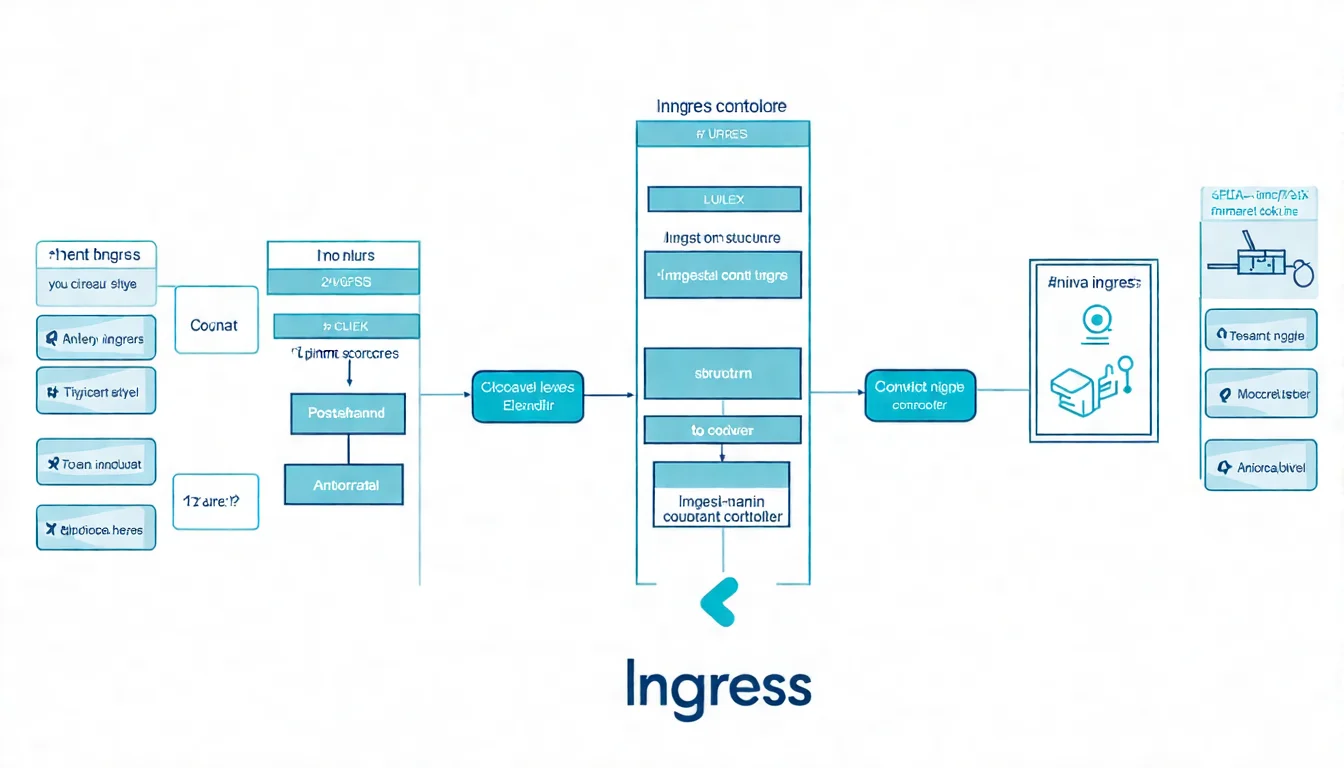
插圖:Ingress 路由規則示意圖
場景描述:
Technical illustration showing Ingress 路由規則示意圖. Clean, professional diagram style.
視覺重點:
- Clear presentation of the concept
- Professional technical diagram style
- Easy to understand visual elements
必須出現的元素:
- Relevant technical components
- Clear labels and annotations
- Logical flow or structure
需要顯示的中文字:
無
風格:
Clean flat design, technical illustration, modern infographic style
顏色調性:
Professional blues and grays, with accent colors for emphasis
避免元素:
Cluttered design, realistic photos, complex 3D rendering
Ingress 提供統一的入口,根據 URL 路徑將流量路由到不同的服務。
Ingress Controller 安裝
在使用 Ingress 之前,需要先安裝 Ingress Controller。以 nginx-ingress 為例:
# 使用 Helm 安裝 nginx-ingress
helm repo add ingress-nginx https://kubernetes.github.io/ingress-nginx
helm repo update

helm install ingress-nginx ingress-nginx/ingress-nginx \
  --namespace ingress-nginx \
  --create-namespace \
  --set controller.replicaCount=2
或使用 kubectl 直接安裝:
kubectl apply -f https://raw.githubusercontent.com/kubernetes/ingress-nginx/controller-v1.9.4/deploy/static/provider/cloud/deploy.yaml
確認安裝成功:
kubectl get pods -n ingress-nginx
kubectl get svc -n ingress-nginx
路由規則設定
# ingress.yaml
apiVersion: networking.k8s.io/v1
kind: Ingress
metadata:
  name: app-ingress
  namespace: production
  annotations:
    nginx.ingress.kubernetes.io/ssl-redirect: "true"
    nginx.ingress.kubernetes.io/proxy-body-size: "10m"
    nginx.ingress.kubernetes.io/proxy-read-timeout: "60"
spec:
  ingressClassName: nginx
  tls:
    - hosts:
        - myapp.example.com
      secretName: tls-secret
  rules:
    - host: myapp.example.com
      http:
        paths:
          # API 請求路由到後端
          - path: /api
            pathType: Prefix
            backend:
              service:
                name: backend-svc
                port:
                  number: 8080
          # 其他請求路由到前端
          - path: /
            pathType: Prefix
            backend:
              service:
                name: frontend-svc
                port:
                  number: 80
這個設定會:
- 所有 /api/* 的請求 → 轉發到 backend-svc
- 所有其他請求 → 轉發到 frontend-svc
- 自動將 HTTP 重導向到 HTTPS
TLS 憑證配置
方式一:手動建立 TLS Secret
kubectl create secret tls tls-secret \
  --namespace=production \
  --cert=path/to/tls.crt \
  --key=path/to/tls.key
方式二:使用 cert-manager 自動管理(推薦)
安裝 cert-manager:
kubectl apply -f https://github.com/cert-manager/cert-manager/releases/download/v1.13.2/cert-manager.yaml
建立 ClusterIssuer(使用 Let's Encrypt):
# cluster-issuer.yaml
apiVersion: cert-manager.io/v1
kind: ClusterIssuer
metadata:
  name: letsencrypt-prod
spec:
  acme:
    server: https://acme-v02.api.letsencrypt.org/directory
    email: [email protected]
    privateKeySecretRef:
      name: letsencrypt-prod
    solvers:
      - http01:
          ingress:
            class: nginx
修改 Ingress 使用 cert-manager:
apiVersion: networking.k8s.io/v1
kind: Ingress
metadata:
  name: app-ingress
  namespace: production
  annotations:
    cert-manager.io/cluster-issuer: "letsencrypt-prod"
spec:
  ingressClassName: nginx
  tls:
    - hosts:
        - myapp.example.com
      secretName: tls-secret  # cert-manager 會自動建立
  rules:
    # ...
完整部署範例與驗證
將所有 YAML 檔案整理好後,依序執行以下步驟:
部署順序
# 1. 建立 Namespace
kubectl create namespace production

# 2. 建立 Secret
kubectl apply -f postgres-secret.yaml

# 3. 建立 ConfigMap
kubectl apply -f frontend-configmap.yaml
kubectl apply -f postgres-init-configmap.yaml

# 4. 部署資料層(先等資料庫準備好)
kubectl apply -f postgres-statefulset.yaml
kubectl apply -f postgres-service.yaml

# 等待 PostgreSQL 就緒
kubectl wait --for=condition=ready pod/postgres-0 -n production --timeout=120s

# 5. 部署後端層
kubectl apply -f backend-deployment.yaml
kubectl apply -f backend-service.yaml

# 等待後端就緒
kubectl rollout status deployment/backend -n production

# 6. 部署前端層
kubectl apply -f frontend-deployment.yaml
kubectl apply -f frontend-service.yaml

# 等待前端就緒
kubectl rollout status deployment/frontend -n production

# 7. 部署 Ingress
kubectl apply -f ingress.yaml
驗證部署
# 查看所有資源
kubectl get all -n production

# 查看 Pod 狀態
kubectl get pods -n production -o wide

# 查看 Service
kubectl get svc -n production

# 查看 Ingress
kubectl get ingress -n production

# 查看 Ingress 的外部 IP
kubectl get ingress app-ingress -n production -o jsonpath='{.status.loadBalancer.ingress[0].ip}'
測試連線
# 測試前端
curl -I https://myapp.example.com

# 測試 API
curl https://myapp.example.com/api/health

# 進入後端 Pod 測試資料庫連線
kubectl exec -it deployment/backend -n production -- sh
# 在 Pod 內執行
nc -zv postgres-svc 5432
常用除錯指令
# 查看 Pod 日誌
kubectl logs -f deployment/frontend -n production
kubectl logs -f deployment/backend -n production
kubectl logs -f statefulset/postgres -n production

# 查看 Pod 事件
kubectl describe pod <pod-name> -n production

# 進入 Pod 除錯
kubectl exec -it <pod-name> -n production -- sh

# 查看 Ingress Controller 日誌
kubectl logs -f deployment/ingress-nginx-controller -n ingress-nginx
如果你想了解更多 Node.js 應用程式的部署細節,可以參考 Node.js 部署教學。
FAQ 常見問題
Q1: 為什麼資料庫要用 StatefulSet?
StatefulSet 提供穩定的網路身份和持久化儲存。Deployment 的 Pod 重啟後名稱會改變,PVC 也可能重新分配,不適合資料庫這類有狀態的服務。
Q2: 後端如何連接資料庫?
使用 Service 名稱作為 hostname:
postgres://user:password@postgres-svc:5432/myapp
或使用完整 DNS:
postgres://user:[email protected]:5432/myapp
Q3: 可以不用 Ingress 嗎?
可以。替代方案:
- 前端 Service 使用 LoadBalancer 類型直接對外
- 使用雲端提供的 Load Balancer(如 AWS ALB)
- 使用 NodePort(不推薦用於生產環境)
但 Ingress 提供了統一入口、TLS 終止、路徑路由等功能,是最佳實踐。
Q4: 資料庫密碼怎麼管理比較安全?
建議使用:
- Kubernetes Secret(基本)
- External Secrets Operator + AWS Secrets Manager / HashiCorp Vault(進階)
- Sealed Secrets(將加密後的 Secret 存入 Git)
Q5: 如何備份 PostgreSQL 資料?
# 執行 pg_dump 備份
kubectl exec -it postgres-0 -n production -- \
  pg_dump -U myapp_user myapp > backup.sql

# 或使用 CronJob 自動備份
K8s 三層式架構部署重點整理
這篇教學完整示範了如何在 Kubernetes 部署三層式架構應用,涵蓋:
- 架構設計:Presentation / Business / Data Layer 的職責劃分
- 前端部署:Nginx + React 的 Deployment 與 Service
- 後端部署:Node.js API 的 Deployment、Secret 管理
- 資料庫部署:PostgreSQL StatefulSet 與 PersistentVolume
- 流量管理:Ingress 路由與 TLS 憑證配置
掌握三層式架構的 K8s 部署後,你可以根據實際需求擴展,例如加入 Redis 快取層、訊息佇列(RabbitMQ / Kafka)等。
想了解更多 Kubernetes 的進階設定,可以閱讀 K8s Deployment 設定詳解。
🏗️ 三層式架構部署需要協助?
從架構設計到完整部署,企業級應用需要專業的規劃。
預約免費諮詢,讓 VibeFix 的工程師幫你打造穩定可靠的 Kubernetes 部署方案。