Express.js Deploy:Node.js Express 專案部署攻略
Express.js 是 Node.js 生態系統中最受歡迎的 Web 框架,輕量、彈性、擁有龐大的中間件生態系統。無論是建立 RESTful API、GraphQL Server 還是全端 Web 應用,Express 都能勝任。
但從本地開發到生產環境,Express 需要加上許多安全性與效能的中間件。這篇教學將帶你了解 Express 專案的生產環境最佳實踐,以及如何部署到各大平台。
如果你想了解 Node.js 的多種部署方式,可以先閱讀 Node.js 部署教學。
Express 生產環境必備設定
插圖:Express.js 生產環境技術棧圖
場景描述:
Technical illustration showing Express.js 生產環境技術棧圖. Clean, professional diagram style.
視覺重點:
- Clear presentation of the concept
- Professional technical diagram style
- Easy to understand visual elements
必須出現的元素:
- Relevant technical components
- Clear labels and annotations
- Logical flow or structure
需要顯示的中文字:
無
風格:
Clean flat design, technical illustration, modern infographic style
顏色調性:
Professional blues and grays, with accent colors for emphasis
避免元素:
Cluttered design, realistic photos, complex 3D rendering
在部署之前,你的 Express 應用需要加入生產環境必備的中間件與設定。
專案結構
一個生產就緒的 Express 專案結構:
my-express-api/
├── src/
│   ├── index.js           # 應用程式入口
│   ├── app.js             # Express app 設定
│   ├── routes/
│   │   ├── index.js
│   │   └── users.js
│   ├── controllers/
│   ├── middlewares/
│   │   ├── errorHandler.js
│   │   └── auth.js
│   ├── services/
│   └── utils/
├── package.json
├── ecosystem.config.js    # PM2 設定
├── Dockerfile
├── .env.example
└── .gitignore
package.json 設定
{
  "name": "my-express-api",
  "version": "1.0.0",
  "main": "src/index.js",
  "scripts": {
    "start": "node src/index.js",
    "dev": "nodemon src/index.js",
    "pm2:start": "pm2 start ecosystem.config.js",
    "pm2:stop": "pm2 stop all"
  },
  "engines": {
    "node": ">=20.0.0"
  },
  "dependencies": {
    "express": "^4.18.2",
    "cors": "^2.8.5",
    "helmet": "^7.1.0",
    "express-rate-limit": "^7.1.5",
    "compression": "^1.7.4",
    "morgan": "^1.10.0",
    "dotenv": "^16.3.1"
  },
  "devDependencies": {
    "nodemon": "^3.0.2"
  }
}
生產環境中間件設定
插圖:Express 中間件執行流程圖
場景描述:
Technical illustration showing Express 中間件執行流程圖. Clean, professional diagram style.
視覺重點:
- Clear presentation of the concept
- Professional technical diagram style
- Easy to understand visual elements
必須出現的元素:
- Relevant technical components
- Clear labels and annotations
- Logical flow or structure
需要顯示的中文字:
無
風格:
Clean flat design, technical illustration, modern infographic style
顏色調性:
Professional blues and grays, with accent colors for emphasis
避免元素:
Cluttered design, realistic photos, complex 3D rendering
中間件的順序很重要,以下是推薦的設定方式。
完整的 app.js 設定
// src/app.js
const express = require('express');
const cors = require('cors');
const helmet = require('helmet');
const compression = require('compression');
const rateLimit = require('express-rate-limit');
const morgan = require('morgan');

const app = express();

// ============================
// 安全性中間件
// ============================

// Helmet: 設定各種 HTTP 標頭以增強安全性
app.use(helmet());

// CORS: 跨域資源共享
app.use(cors({
  origin: process.env.ALLOWED_ORIGINS?.split(',') || '*',
  methods: ['GET', 'POST', 'PUT', 'DELETE', 'PATCH'],
  allowedHeaders: ['Content-Type', 'Authorization'],
  credentials: true,
  maxAge: 86400 // 預檢請求快取 24 小時
}));

// Rate Limiting: 限制請求頻率
const limiter = rateLimit({
  windowMs: 15 * 60 * 1000, // 15 分鐘
  max: 100, // 每個 IP 最多 100 次請求
  message: {
    error: 'Too many requests, please try again later.'
  },
  standardHeaders: true,
  legacyHeaders: false,
});
app.use('/api/', limiter);

// ============================
// 效能中間件
// ============================

// Compression: 壓縮回應
app.use(compression());

// ============================
// 解析中間件
// ============================

// 解析 JSON
app.use(express.json({ limit: '10mb' }));

// 解析 URL-encoded
app.use(express.urlencoded({ extended: true, limit: '10mb' }));

// ============================
// 日誌中間件
// ============================

// Morgan: HTTP 請求日誌
if (process.env.NODE_ENV === 'production') {
  app.use(morgan('combined'));
} else {
  app.use(morgan('dev'));
}

// ============================
// 健康檢查
// ============================

app.get('/health', (req, res) => {
  res.status(200).json({ status: 'healthy', timestamp: new Date().toISOString() });
});

app.get('/ready', (req, res) => {
  // 可以在這裡檢查資料庫連線等
  res.status(200).json({ status: 'ready' });
});

// ============================
// API 路由
// ============================

const routes = require('./routes');
app.use('/api', routes);

// ============================
// 404 處理
// ============================

app.use((req, res) => {
  res.status(404).json({ error: 'Not Found' });
});

// ============================
// 錯誤處理
// ============================

app.use((err, req, res, next) => {
  console.error(err.stack);

  const statusCode = err.statusCode || 500;
  const message = process.env.NODE_ENV === 'production'
    ? 'Internal Server Error'
    : err.message;

  res.status(statusCode).json({ error: message });
});

module.exports = app;
入口檔案
// src/index.js
require('dotenv').config();

const app = require('./app');

const PORT = process.env.PORT || 3000;

const server = app.listen(PORT, () => {
  console.log(`Server running on port ${PORT}`);
  console.log(`Environment: ${process.env.NODE_ENV || 'development'}`);
});

// 優雅關閉
process.on('SIGTERM', () => {
  console.log('SIGTERM received, shutting down gracefully');
  server.close(() => {
    console.log('Server closed');
    process.exit(0);
  });
});

process.on('SIGINT', () => {
  console.log('SIGINT received, shutting down gracefully');
  server.close(() => {
    console.log('Server closed');
    process.exit(0);
  });
});
各中間件作用說明
| 中間件 | 作用 | 重要性 |
|---|---|---|
| helmet | 設定安全相關的 HTTP 標頭 | 必備 |
| cors | 處理跨域請求 | 必備(API) |
| express-rate-limit | 防止暴力攻擊與濫用 | 必備 |
| compression | gzip 壓縮回應 | 建議 |
| morgan | HTTP 請求日誌 | 建議 |
💡 Express API 部署遇到問題?
從中間件設定到安全性加固,Express 生產部署有許多細節。
預約免費諮詢,讓我們幫你處理 Express API 部署。
PM2 程序管理
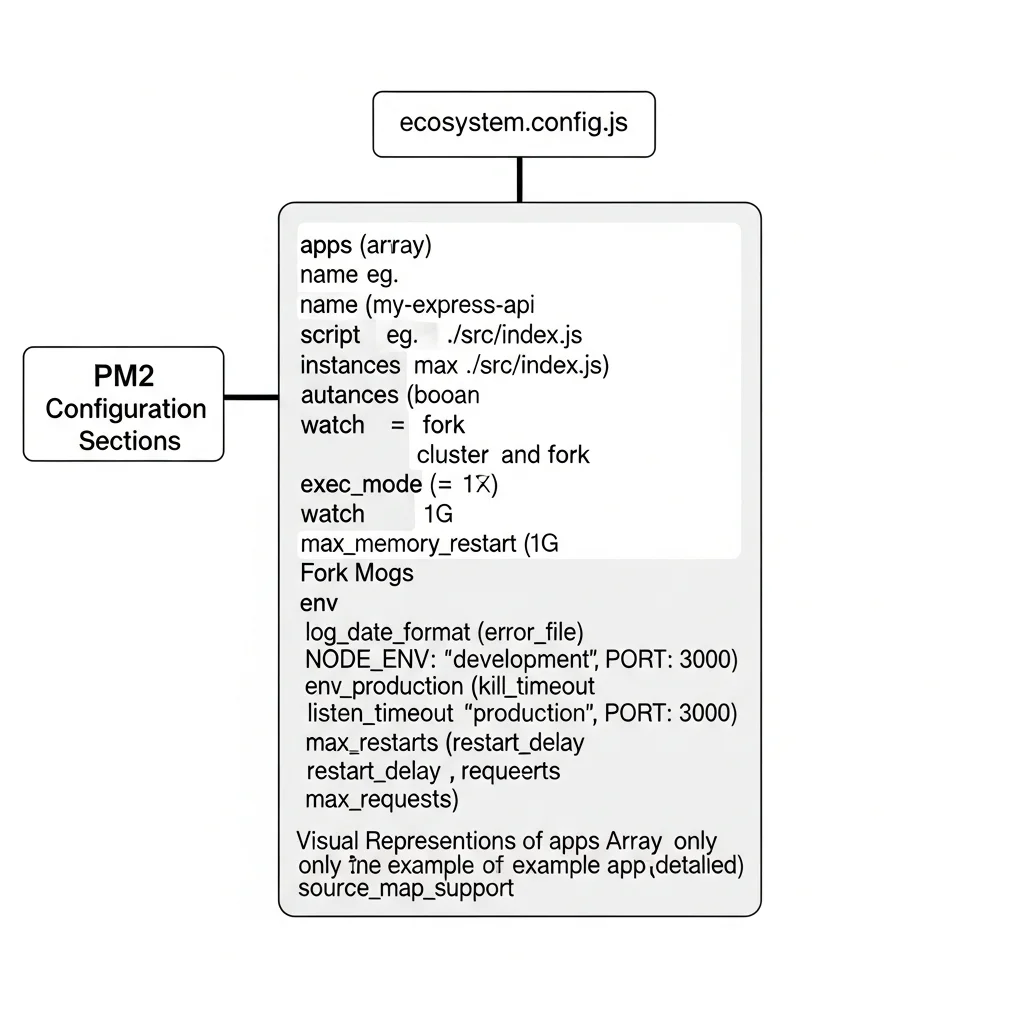
插圖:PM2 ecosystem.config.js 設定圖
場景描述:
Technical illustration showing PM2 ecosystem.config.js 設定圖. Clean, professional diagram style.
視覺重點:
- Clear presentation of the concept
- Professional technical diagram style
- Easy to understand visual elements
必須出現的元素:
- Relevant technical components
- Clear labels and annotations
- Logical flow or structure
需要顯示的中文字:
無
風格:
Clean flat design, technical illustration, modern infographic style
顏色調性:
Professional blues and grays, with accent colors for emphasis
避免元素:
Cluttered design, realistic photos, complex 3D rendering
PM2 是 Node.js 生產環境的標準程序管理工具,提供自動重啟、負載平衡、日誌管理等功能。
安裝 PM2
npm install -g pm2
ecosystem.config.js 完整設定
// ecosystem.config.js
module.exports = {
  apps: [{
    // 應用程式名稱
    name: 'my-express-api',

    // 入口檔案
    script: './src/index.js',

    // Cluster 模式:使用所有 CPU 核心
    instances: 'max',
    exec_mode: 'cluster',

    // 自動重啟設定
    autorestart: true,
    watch: false,
    max_memory_restart: '1G',

    // 環境變數(開發)
    env: {
      NODE_ENV: 'development',
      PORT: 3000
    },

    // 環境變數(生產)
    env_production: {
      NODE_ENV: 'production',
      PORT: 3000
    },

    // 日誌設定
    log_date_format: 'YYYY-MM-DD HH:mm:ss',
    error_file: './logs/error.log',
    out_file: './logs/out.log',
    merge_logs: true,

    // 進階設定
    listen_timeout: 8000,
    kill_timeout: 5000,

    // 重啟策略
    max_restarts: 10,
    restart_delay: 4000,

    // 每處理 1000 個請求後重啟(防止記憶體洩漏)
    max_requests: 1000,

    // Source Map 支援
    source_map_support: true
  }]
};
PM2 常用命令
# 啟動應用(開發環境)
pm2 start ecosystem.config.js

# 啟動應用(生產環境)
pm2 start ecosystem.config.js --env production

# 查看狀態
pm2 status

# 查看日誌
pm2 logs my-express-api
pm2 logs --lines 100

# 監控
pm2 monit

# 零停機更新
pm2 reload my-express-api

# 停止
pm2 stop my-express-api

# 刪除
pm2 delete my-express-api

# 開機自動啟動
pm2 startup
pm2 save
Cluster Mode vs Fork Mode
| 模式 | 說明 | 適用場景 |
|---|---|---|
| Cluster | 多程序,自動負載平衡 | 多核心 CPU、高流量 |
| Fork | 單程序 | 開發環境、低流量 |
// Cluster Mode(推薦生產環境)
instances: 'max',
exec_mode: 'cluster',

// Fork Mode
instances: 1,
exec_mode: 'fork',
部署到 Railway(最簡單)
Railway 是 Heroku 的最佳替代品,適合快速部署 Express API。
步驟一:準備 Procfile
web: node src/index.js
或使用 PM2:
web: npx pm2-runtime ecosystem.config.js --env production
步驟二:連接 GitHub 部署
- 前往 railway.app
- 新增專案 → Deploy from GitHub
- 選擇你的 Repository
- Railway 自動偵測並部署
步驟三:設定環境變數
在 Railway Dashboard 的 Variables 區塊:
NODE_ENV=production
ALLOWED_ORIGINS=https://your-frontend.com
DATABASE_URL=postgresql://...
步驟四:新增 PostgreSQL(可選)
點擊「+ New」→「Database」→「PostgreSQL」,Railway 會自動注入 DATABASE_URL。
部署到 Render
Render 提供免費方案,適合 Side Project。
步驟一:建立 render.yaml
services:
  - type: web
    name: my-express-api
    env: node
    buildCommand: npm install
    startCommand: node src/index.js
    envVars:
      - key: NODE_ENV
        value: production
    healthCheckPath: /health
步驟二:連接 GitHub
- 前往 render.com
- 新增 Web Service
- 連接 GitHub Repository
- 選擇 Node.js 環境
注意事項
- 免費方案會在閒置 15 分鐘後休眠
- 首次請求會有冷啟動延遲(約 30 秒)
部署到 AWS EC2 + Nginx
對於需要完全掌控的生產環境,EC2 + Nginx + PM2 是經典組合。
步驟一:EC2 設定
# 連線到 EC2
ssh -i your-key.pem ec2-user@your-ec2-ip

# 安裝 Node.js
curl -fsSL https://rpm.nodesource.com/setup_20.x | sudo bash -
sudo yum install -y nodejs

# 安裝 PM2
sudo npm install -g pm2

# Clone 專案
git clone https://github.com/your-repo/my-express-api.git
cd my-express-api
npm ci --only=production

# 啟動
pm2 start ecosystem.config.js --env production
pm2 startup
pm2 save
步驟二:Nginx 反向代理
# /etc/nginx/conf.d/my-express-api.conf
upstream express_backend {
    server 127.0.0.1:3000;
    keepalive 64;
}

server {
    listen 80;
    server_name your-domain.com;

    # 強制 HTTPS
    return 301 https://$server_name$request_uri;
}

server {
    listen 443 ssl http2;
    server_name your-domain.com;

    # SSL 設定
    ssl_certificate /etc/letsencrypt/live/your-domain.com/fullchain.pem;
    ssl_certificate_key /etc/letsencrypt/live/your-domain.com/privkey.pem;

    # 安全標頭
    add_header X-Frame-Options "SAMEORIGIN" always;
    add_header X-Content-Type-Options "nosniff" always;
    add_header X-XSS-Protection "1; mode=block" always;

    location / {
        proxy_pass http://express_backend;
        proxy_http_version 1.1;
        proxy_set_header Upgrade $http_upgrade;
        proxy_set_header Connection 'upgrade';
        proxy_set_header Host $host;
        proxy_set_header X-Real-IP $remote_addr;
        proxy_set_header X-Forwarded-For $proxy_add_x_forwarded_for;
        proxy_set_header X-Forwarded-Proto $scheme;
        proxy_cache_bypass $http_upgrade;
        proxy_read_timeout 60s;
    }

    # 靜態檔案快取(如果有的話)
    location /static/ {
        alias /var/www/my-express-api/public/;
        expires 30d;
        add_header Cache-Control "public, immutable";
    }
}
步驟三:SSL 憑證
# 安裝 Certbot
sudo yum install certbot python3-certbot-nginx -y

# 申請憑證
sudo certbot --nginx -d your-domain.com

# 自動續約(已自動設定)
sudo certbot renew --dry-run
💡 PM2 + Nginx 設定太複雜?
從 Cluster Mode 到 Nginx 負載平衡,設定細節容易出錯。
預約免費諮詢,讓專家幫你設定生產環境。
Vercel 部署:限制與注意事項
插圖:Vercel Serverless 限制說明圖
場景描述:
Technical illustration showing Vercel Serverless 限制說明圖. Clean, professional diagram style.
視覺重點:
- Clear presentation of the concept
- Professional technical diagram style
- Easy to understand visual elements
必須出現的元素:
- Relevant technical components
- Clear labels and annotations
- Logical flow or structure
需要顯示的中文字:
無
風格:
Clean flat design, technical illustration, modern infographic style
顏色調性:
Professional blues and grays, with accent colors for emphasis
避免元素:
Cluttered design, realistic photos, complex 3D rendering
Vercel 雖然方便,但對 Express 有一些重要限制。
Vercel 的運作方式
Vercel 將 Express 應用轉換為 Serverless Functions:
- 每個請求啟動一個新的函數實例
- 執行完畢後實例可能被銷毀
- 沒有持久的記憶體或連線
不適合 Vercel 的情況
| 情況 | 原因 |
|---|---|
| WebSocket | Serverless 不支援持久連線 |
| 長時間處理 | 執行時間限制(10-60 秒) |
| 記憶體快取 | 實例間不共享記憶體 |
| 定時任務 | 沒有 cron job 支援 |
| 檔案上傳 | 無持久檔案系統 |
如果仍要用 Vercel
建立 vercel.json:
{
  "version": 2,
  "builds": [
    {
      "src": "src/index.js",
      "use": "@vercel/node"
    }
  ],
  "routes": [
    {
      "src": "/(.*)",
      "dest": "src/index.js"
    }
  ]
}
修改 src/index.js:
// 匯出 app 供 Vercel 使用
const app = require('./app');

// 本地開發時啟動伺服器
if (process.env.NODE_ENV !== 'production') {
  const PORT = process.env.PORT || 3000;
  app.listen(PORT, () => {
    console.log(`Server running on port ${PORT}`);
  });
}

module.exports = app;
建議:如果你的 Express 專案有上述需求,請使用 Railway 或 Render 而非 Vercel。
Docker 容器化
使用 Docker 可以確保開發與生產環境一致。
Dockerfile
FROM node:20-alpine

# 設定工作目錄
WORKDIR /app

# 安裝 PM2
RUN npm install -g pm2

# 複製 package.json
COPY package*.json ./

# 安裝相依套件
RUN npm ci --only=production

# 複製原始碼
COPY . .

# 建立日誌目錄
RUN mkdir -p logs

# 建立非 root 使用者
RUN addgroup -S appgroup && adduser -S appuser -G appgroup
RUN chown -R appuser:appgroup /app
USER appuser

# 開放 port
EXPOSE 3000

# 健康檢查
HEALTHCHECK --interval=30s --timeout=3s --start-period=5s --retries=3 \
  CMD wget --no-verbose --tries=1 --spider http://localhost:3000/health || exit 1

# 使用 PM2 啟動
CMD ["pm2-runtime", "ecosystem.config.js", "--env", "production"]
docker-compose.yml
version: '3.8'

services:
  api:
    build: .
    ports:
      - "3000:3000"
    environment:
      - NODE_ENV=production
      - DATABASE_URL=postgres://postgres:password@db:5432/myapp
    depends_on:
      - db
    restart: unless-stopped

  db:
    image: postgres:15-alpine
    environment:
      POSTGRES_USER: postgres
      POSTGRES_PASSWORD: password
      POSTGRES_DB: myapp
    volumes:
      - postgres_data:/var/lib/postgresql/data
    restart: unless-stopped

volumes:
  postgres_data:
想了解更多 Docker 部署細節,請參考 Docker Deploy 教學。
部署選項比較

插圖:Express 部署選項比較圖
場景描述:
Technical illustration showing Express 部署選項比較圖. Clean, professional diagram style.
視覺重點:
- Clear presentation of the concept
- Professional technical diagram style
- Easy to understand visual elements
必須出現的元素:
- Relevant technical components
- Clear labels and annotations
- Logical flow or structure
需要顯示的中文字:
無
風格:
Clean flat design, technical illustration, modern infographic style
顏色調性:
Professional blues and grays, with accent colors for emphasis
避免元素:
Cluttered design, realistic photos, complex 3D rendering
| 平台 | 難度 | 費用 | WebSocket | 適用場景 |
|---|---|---|---|---|
| Railway | ⭐ | $5/月起 | ✅ | 最推薦,簡單又完整 |
| Render | ⭐ | 免費起 | ✅ | 預算有限 |
| AWS EC2 | ⭐⭐⭐⭐ | $5/月起 | ✅ | 需要完全掌控 |
| Vercel | ⭐ | 免費起 | ❌ | 簡單 API,有限制 |
| DigitalOcean App | ⭐⭐ | $5/月起 | ✅ | 價格透明 |
推薦選擇
- 快速上線 API → Railway
- 預算有限 → Render(注意冷啟動)
- 需要 WebSocket → Railway 或 EC2
- 企業級、高可用 → EC2 + PM2 + Nginx 或 Kubernetes
常見錯誤排解
錯誤一:CORS 錯誤
症狀:瀏覽器顯示 CORS policy 錯誤
解決:
app.use(cors({
  origin: ['https://your-frontend.com', 'http://localhost:3000'],
  credentials: true
}));
錯誤二:Cannot find module
症狀:部署後找不到模組
解決:
1. 確認 package.json 的 dependencies 正確
2. 不要把模組放在 devDependencies
3. 執行 npm ci 而非 npm install
錯誤三:Port 已被使用
症狀:EADDRINUSE 錯誤
解決:
const PORT = process.env.PORT || 3000;
雲端平台會透過 PORT 環境變數指定 port。
錯誤四:記憶體洩漏
症狀:記憶體持續增加,最終 crash
解決:
1. PM2 設定 max_memory_restart
2. 檢查未關閉的資料庫連線
3. 檢查未清理的 setInterval
錯誤五:連線逾時
症狀:請求等待過久後逾時
解決:
1. 檢查資料庫查詢效能
2. 增加 Nginx 的 proxy_read_timeout
3. 使用連線池
FAQ 常見問題
Q1: Express 需要 PM2 嗎?
生產環境強烈建議使用 PM2,原因:
- 自動重啟 crash 的程序
- Cluster Mode 利用多核心
- 日誌管理
- 零停機更新
Q2: 如何實現零停機部署?
使用 PM2 的 reload 命令:
pm2 reload my-express-api
PM2 會逐一重啟 worker,確保隨時都有可用的實例。
Q3: Express 和 Fastify 哪個效能好?
Fastify 在基準測試中通常比 Express 快 2-3 倍。但 Express 的生態系統更成熟。選擇建議:
- 追求效能 → Fastify
- 追求生態系統、教學資源 → Express
Q4: 如何處理靜態檔案?
生產環境建議:
1. 使用 CDN(CloudFlare、AWS CloudFront)
2. 或讓 Nginx 處理靜態檔案
3. Express 只處理 API
Q5: 需要 Nginx 嗎?
如果使用 Railway、Render 等 PaaS,不需要。
如果使用 EC2 等 IaaS,建議加上 Nginx:
- SSL 終止
- 負載平衡
- 靜態檔案服務
- 額外的安全層
結語
這篇教學涵蓋了 Express.js 從開發到生產的完整部署流程:
- 生產環境中間件:Helmet、CORS、Rate Limiting、Compression
- PM2 程序管理:Cluster Mode、自動重啟、零停機更新
- 部署平台:Railway(最推薦)、Render、AWS EC2
- Vercel 限制:不支援 WebSocket、有執行時間限制
- Docker 容器化:確保環境一致性
Express 雖然輕量,但正確的生產環境設定需要加入許多中間件與工具。選擇合適的部署平台,配合 PM2 管理程序,就能讓你的 Express API 穩定運行。
如果你想了解更多 Node.js 部署選項,可以閱讀 Node.js 部署教學。
🚀 Express.js 部署需要協助?
從安全性設定到效能調校,Express 生產部署有許多細節需要注意。
預約免費諮詢,讓 VibeFix 的工程師幫你把 Express API 順利上線!